Batch Layout Export
Select any number of layouts from the current drawing and export them in one operation.
Select the layouts you need, choose your PDF format, set up smart file naming and export — all from a focused workflow built directly into AutoCAD.
Compatible with AutoCAD 2023–2027
Toritex removes repetitive plotting work and gives you a clean, reliable PDF publishing workflow directly inside AutoCAD.
Select any number of layouts from the current drawing and export them in one operation.
Build filenames automatically from drawing, layout, date, time and index tokens.
Save your folder, naming and export options and reuse them on future drawings.
Automatic Ribbon integration plus the TORITEX command — no NETLOAD required.
Combine selected layouts into one multi-page PDF or create a separate PDF for each layout.
Activate with a license key and keep using Toritex without an internet connection.
Select your layouts, configure the export and let Toritex handle the batch.
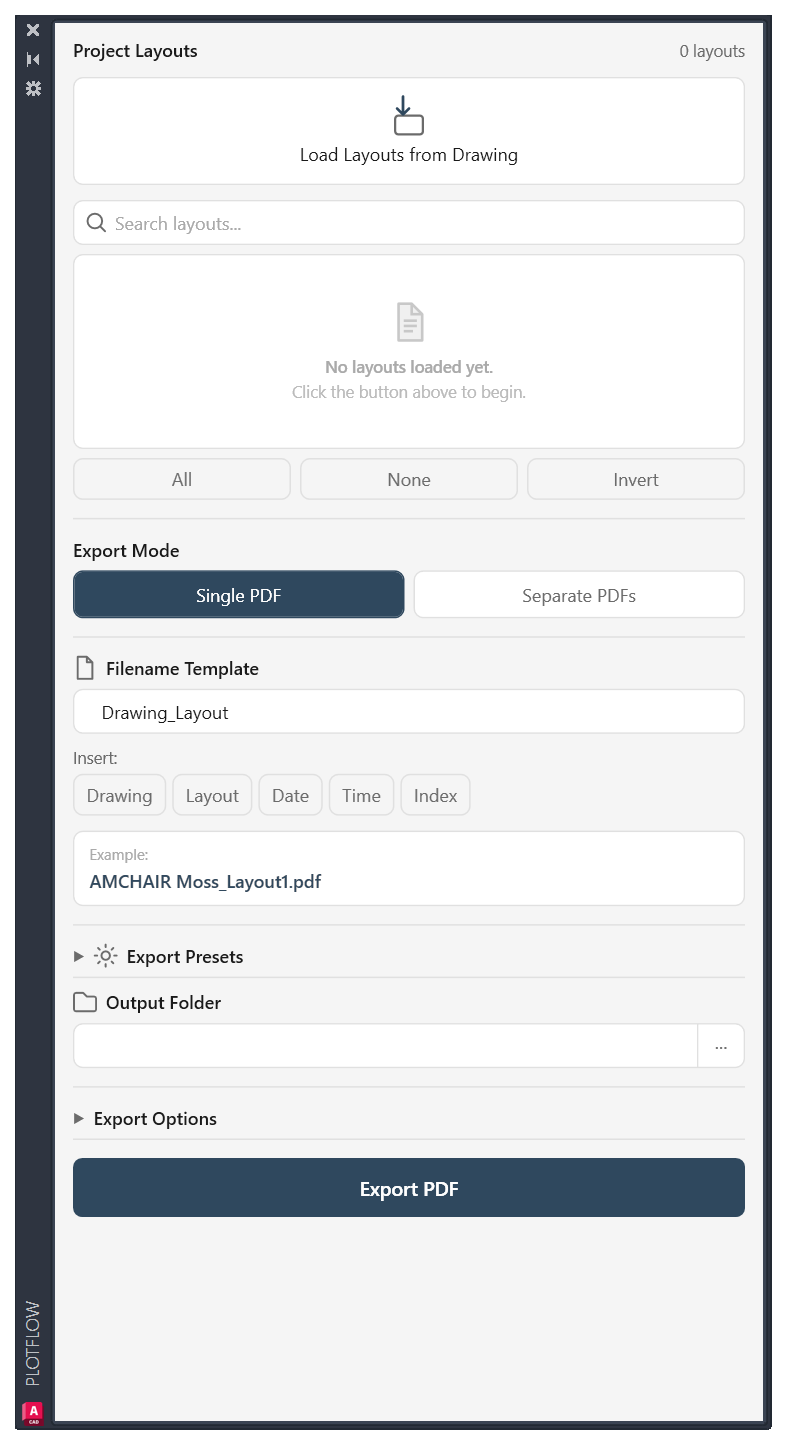
Load the layouts from the current drawing.
Search, select, deselect or invert your layout selection.
Choose Single or Separate PDFs, naming, folder and options.
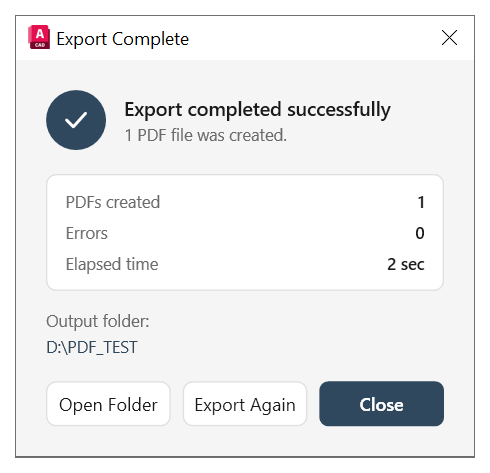
One operation. Toritex verifies the output and reports the result.
Try Toritex free for 30 days and experience a faster way to publish AutoCAD layouts.
Everything you need to know before using Toritex.
Toritex has been tested and confirmed working with AutoCAD 2023, 2024, 2025, 2026 and 2027 (64-bit).